Warranty
Receipts, before they lapse.
You buy a dishwasher. Two years later it stops draining, the warranty had eleven months left, and the receipt went in the bin in 2024. Warranty exists for that afternoon. Photograph the receipt when you buy the thing, and the app tells you before the cover runs out — while there is still something you can do about it.
What it does
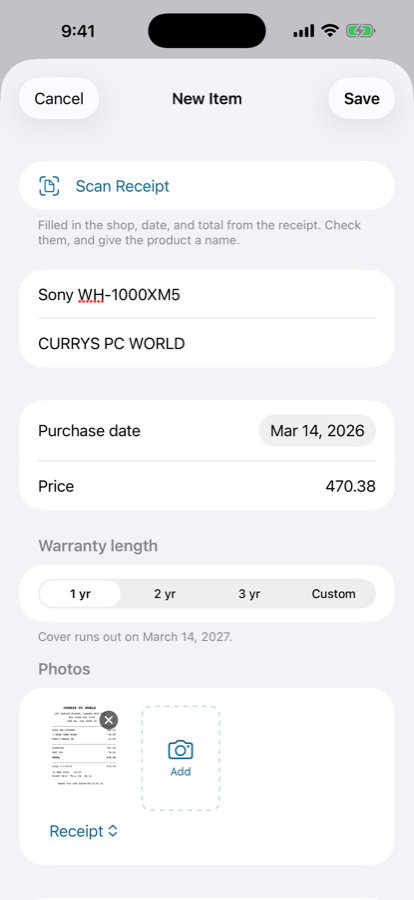
- Scan the receipt, not the form. Point the camera at the receipt. Warranty reads the shop, the date and the total straight off it and drops them into the form, filled in and ready to correct. You add the product name and pick how long the cover lasts.
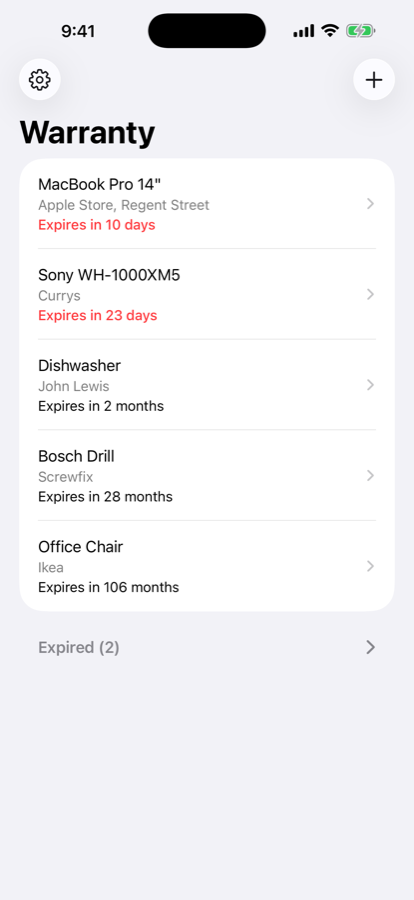
- A countdown, not a date. The list reads “Expires in 3 months”, “Expires in 12 days”. Anything under a month turns red. Expired items fold themselves into a section at the bottom and stop shouting.
- Told in time to act. One notification per item, thirty days before the warranty runs out — or seven, fourteen or sixty, if you prefer. That is the only alert the app will ever send you.
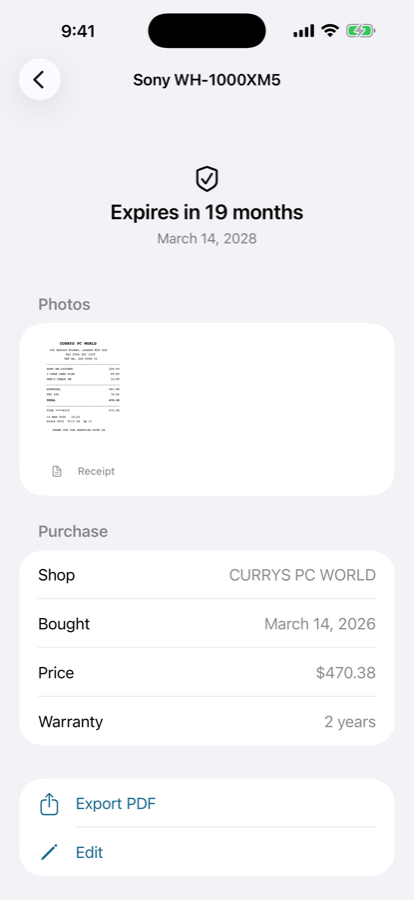
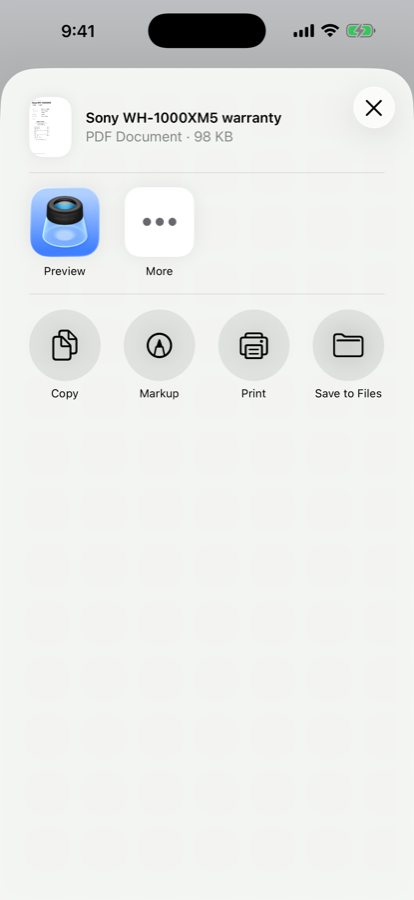
- A PDF for the shop. When something does break, export the item as a single page: what it is, where and when you bought it, what it cost, when the cover ends, and the photo of the receipt.
- Photos of everything. Receipts, the product itself, the serial plate on the back. Tap one to read the small print full screen.
- In your own iCloud. Everything syncs across your iPhone and iPad through your own private iCloud database. There is no account to make and no server of ours anywhere.
About the scanning
Receipt layouts vary enormously, and this is worth being honest about: the scan will sometimes read the shop wrong, or pick up the wrong number. It is there to save you typing, not to be trusted.
So every field it fills is an editable field, visibly filled in, with a note underneath saying what it changed. Nothing is saved until you tap Save. Reading the text happens entirely on your device — no image and no recognised text is uploaded anywhere.
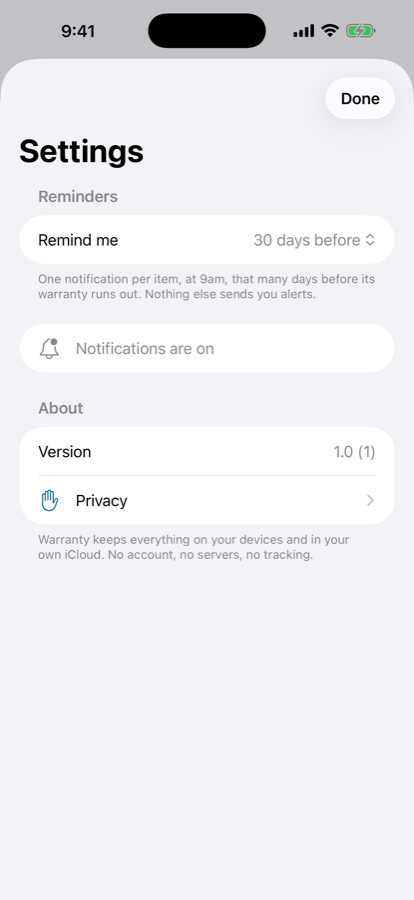
There is no account of any kind and no server behind this app. Your items and photos are stored on your device and mirrored to your own private iCloud database, which the developer cannot read. There are no analytics, no advertising identifiers and no third-party services.
Requires
iOS 17.0 or later, on iPhone and iPad. Syncing needs the same Apple Account signed in on each device.