Homework Planner
Every assignment, every due date, in one place.
Homework Planner is a simple, private way for students to track what's due. Add an assignment in seconds, see what's coming up, and tick it off when it's done. Your homework is sorted by what's due soonest, so the next thing to do is always at the top — and anything overdue is marked in red, so nothing quietly slips past you.
What it does
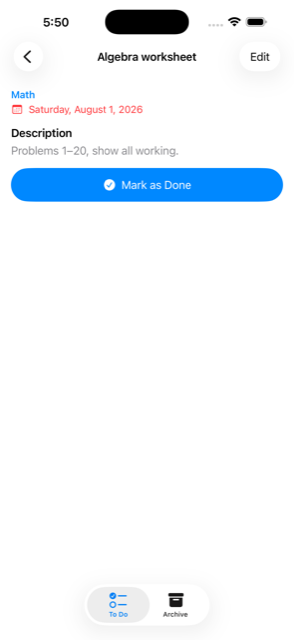
- Everything in one list — sorted by what's due soonest, with overdue assignments marked in red.
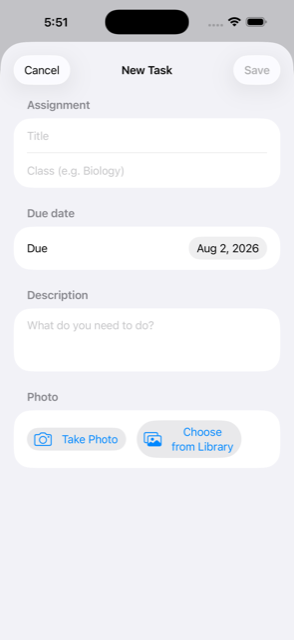
- Add homework in seconds — a title, the class, a due date. Add a description if it helps.
- Snap the worksheet. Photograph the sheet or the whiteboard and attach it to the assignment, so you never have to remember what question 7 actually said.
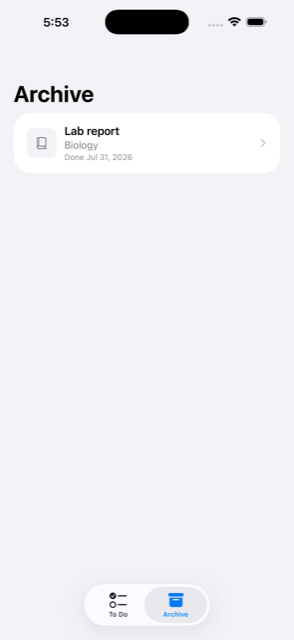
- Done means done. Completed work moves to the Archive — out of the way, but not gone. Send it back to your to-do list in a tap.
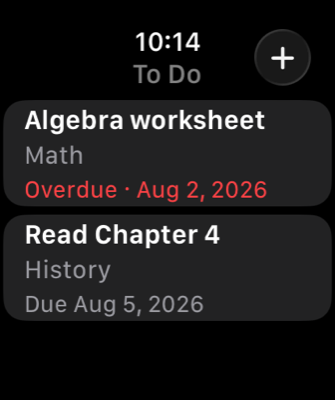
- On your wrist. The Apple Watch app shows what's still due, lets you tick things off between lessons, and lets you add an assignment the moment it's set.
- Private by design. No account to create, no ads, no tracking, no analytics.
Across your devices
Homework Planner runs on iPhone, iPad, Mac and Apple Watch, and syncs through your own private iCloud — so what you add at your desk is there in your bag. All your devices need to be signed into the same Apple Account. Syncing is not instant; give it anywhere from a few seconds to a minute.
There is no server behind this app and no account beyond your Apple Account. Your homework goes to your own iCloud storage and nowhere else — the developer has no access to it and no way to read it.
Requires
iOS or iPadOS 17.0 or later, macOS 14.0 or later, watchOS 10.0 or later. The Apple Watch app is included with the iPhone app.
The Mac has no camera picker, so photos come from your photo library there.