Ticklist
A list you write once and use for years.
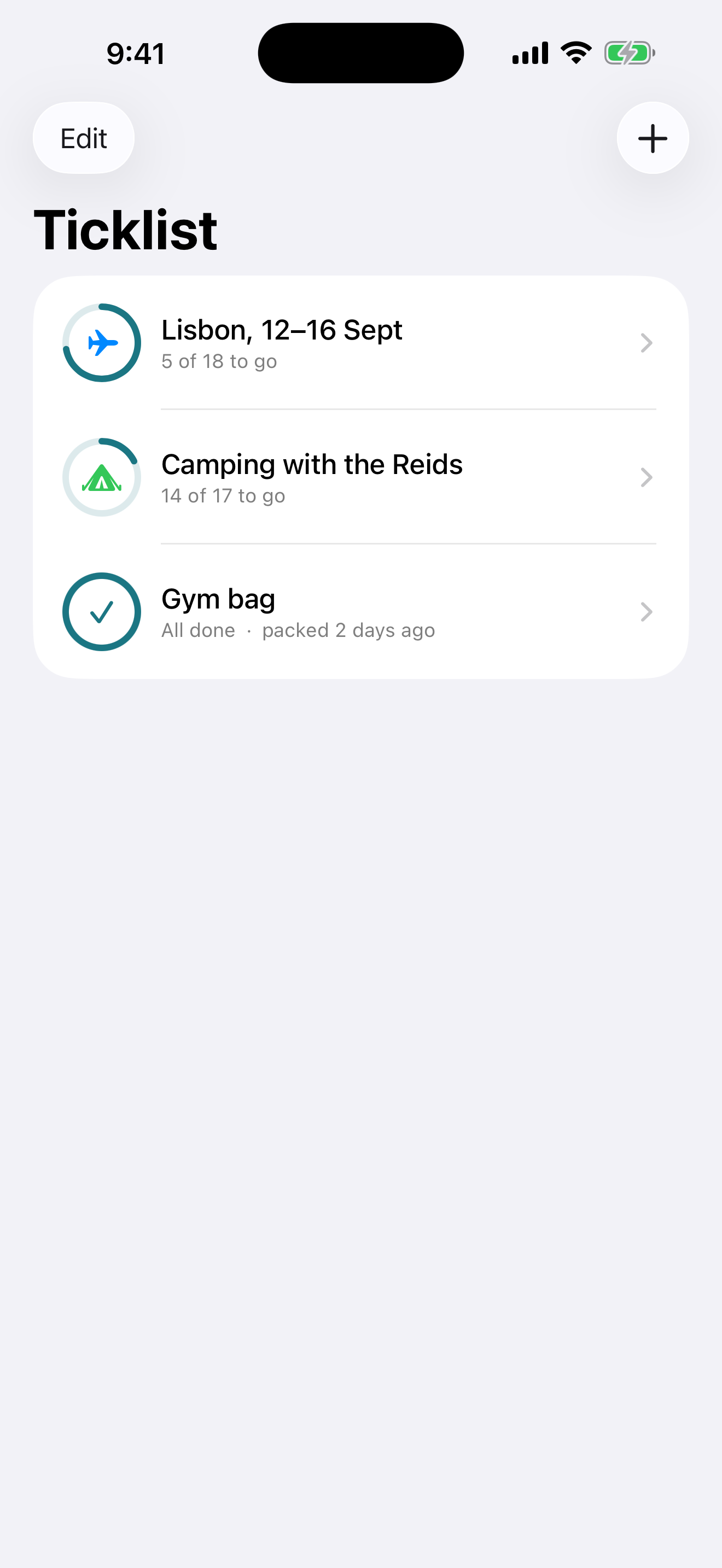
Most packing lists are written at 11pm the night before and thrown away at the other end, which means writing the same twenty lines again next time. Ticklist keeps them. Pack the bag, tick it off, clear the ticks when you get home, and the same list is sitting there ready for the next trip.
What it does
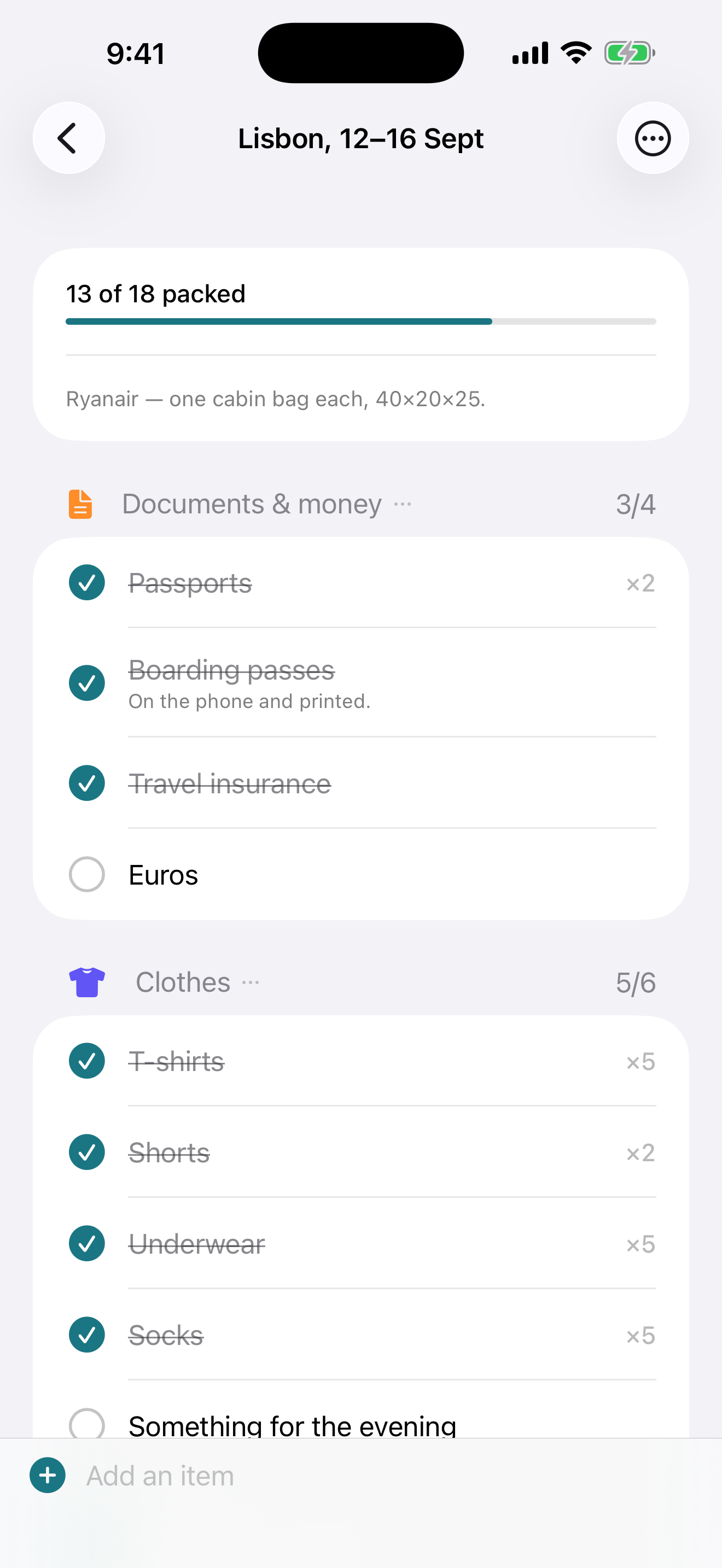
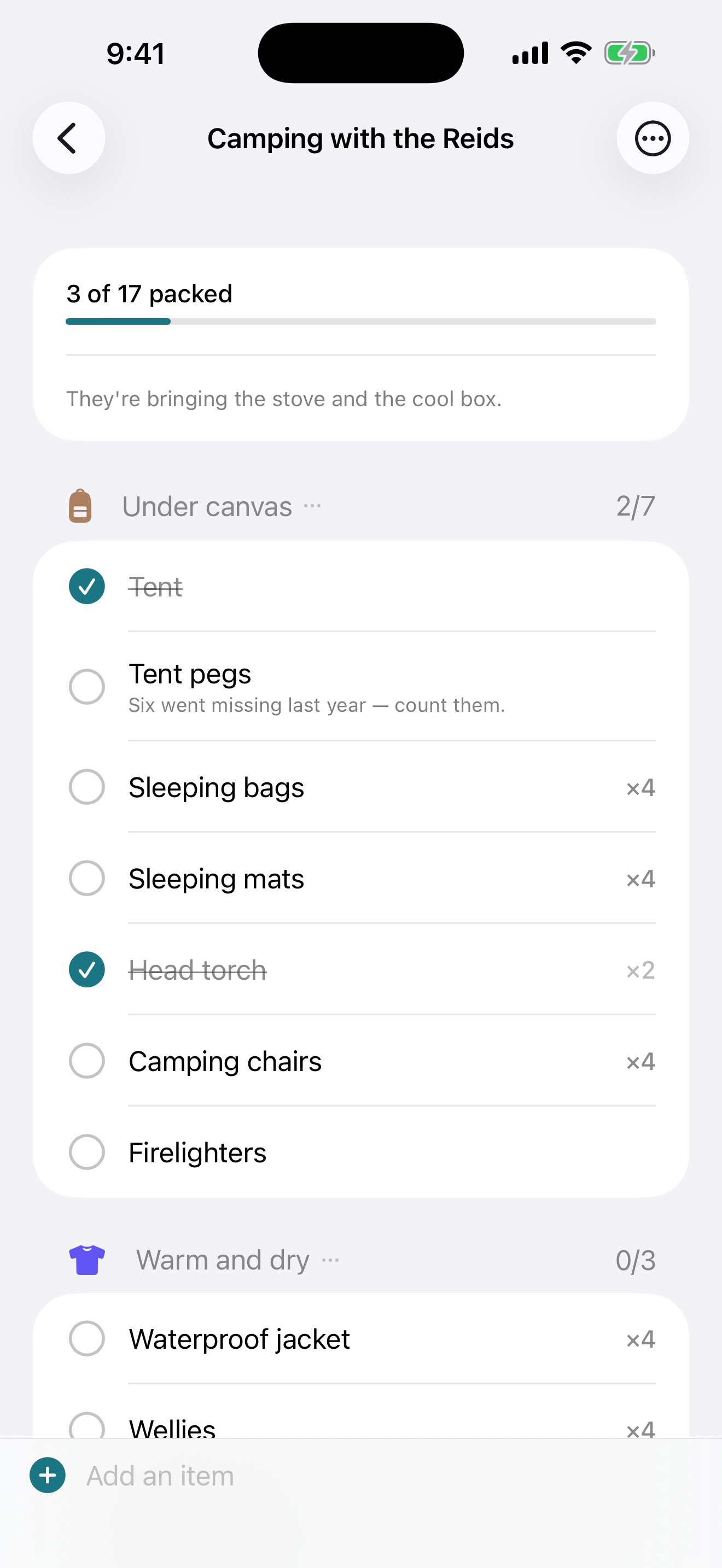
- Headings you write yourself. Not a fixed set of categories somebody else chose. Type anything — “Under canvas”, “First night”, “Dog”, “Hand luggage”. A heading exists for exactly as long as something is under it: there is nowhere to go and create one first, and nothing to tidy up when the last row leaves.
- Rename one and the rows come with it. Rename a heading onto another one and the two merge, which is the only sensible reading of typing the other one's name.
- An add field that never scrolls away. Remembering
something is a three-second window while the wardrobe is open. Type
3 socksand it adds three. - No accidental duplicates. Type something already on the list and it bumps that row instead of leaving two nearly identical lines a centimetre apart — and unticks it, because more of something you had packed means you are not finished with it.
- It files rows for you, on your terms. Type “passport” on a list that already has a Documents heading and the row goes there, in whatever spelling you used. It never invents a heading you did not write.
- One tap anywhere on the row. Ticking is a thumb job done at arm's length with a suitcase open, so the whole row is the target rather than a small circle.
- The row does not move when you tick it. A list that sorts itself while you are reading it is a list where your next tap lands on the wrong thing.
Nine lists already written
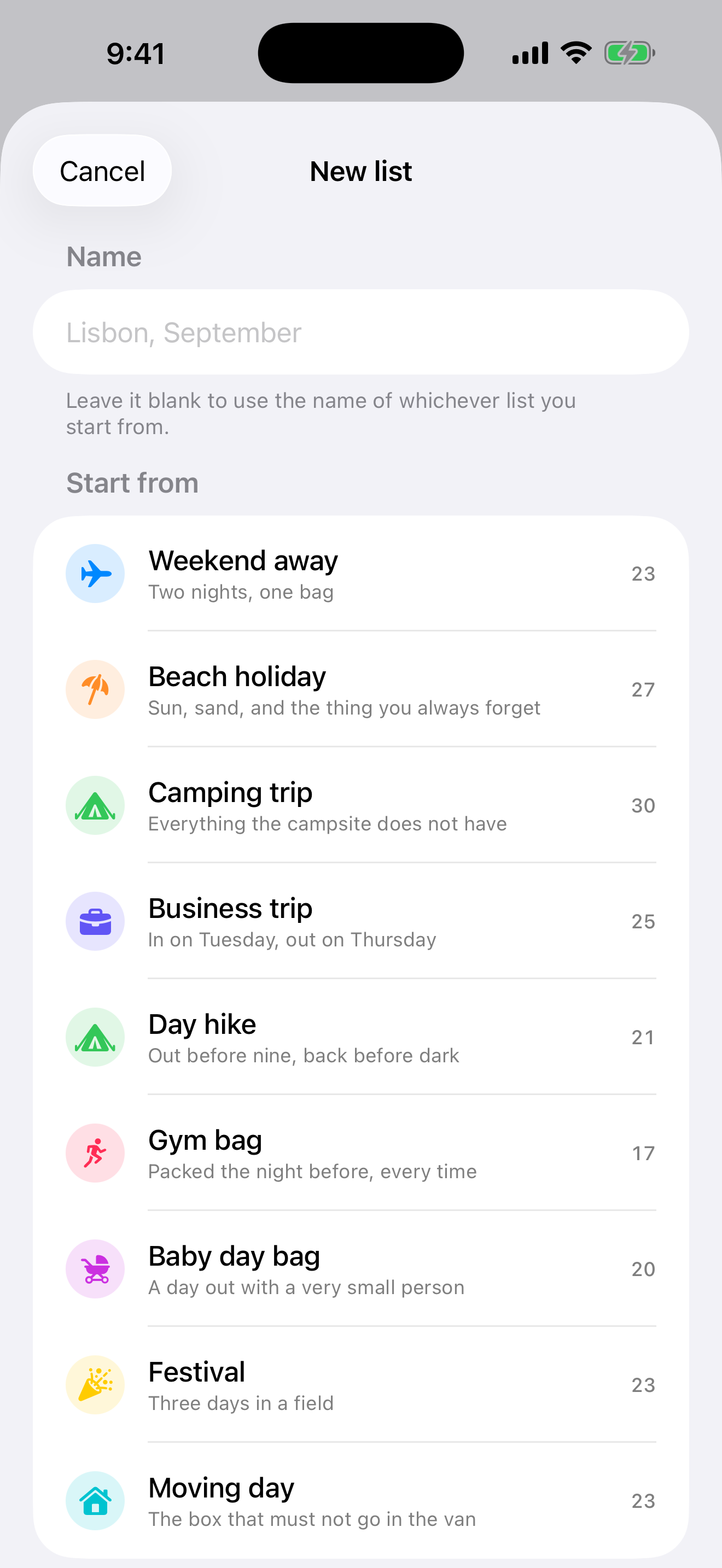
Weekend away. Beach holiday. Camping trip. Business trip. Day hike. Gym bag. Baby day bag. Festival. Moving day. Start from one and spend ten minutes deleting instead of an hour remembering.
Finished is not deleted
Clear the ticks and the list is ready for next time — every item stays, only what you packed is forgotten. Duplicate it instead and you have the same list minus the ski boots, for the trip where nobody skis.
There is no server behind this app and no account of any kind. Everything you type is stored on your iPhone, and the app makes no network requests at all — the developer has no access to your lists and no way to read them.
Requires
iOS 18.0 or later, on iPhone.