Streak
What you did, day by day.
Most trackers ask you to plan. Streak asks one question instead: what did you do today? You played tennis, went for a run, finally read for half an hour — tap it, and it is logged. Your streak builds itself out of what actually happened, not out of a list of intentions you wrote on Sunday.
What it does
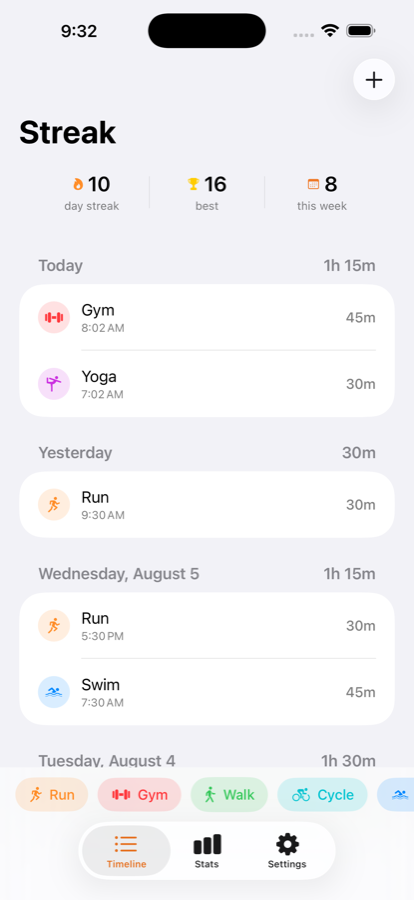
- One tap to log. Your most-used activities sit in a row along the bottom of the screen. Finish a game, open Streak, tap it. That is the whole interaction.
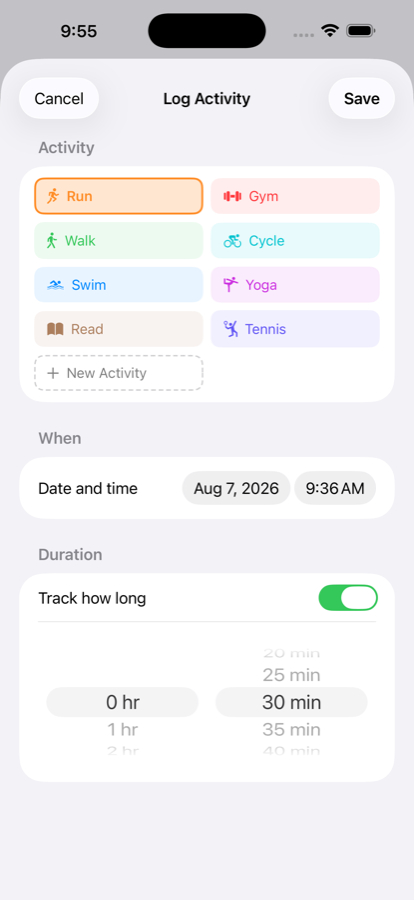
- Add the detail, or don't. If it matters, open the full editor and set the date, the time, and how long it took. If it doesn't, one tap is a complete entry.
- Your activities, not a fixed list. Streak ships with seven to get you started. Anything missing is one tap away — hit New, name it, pick an icon and a colour, and it is in your list for good.
- Streaks that don't punish you. Your streak counts consecutive days with at least one activity, and it survives an unlogged today. It only breaks when you actually miss a day.
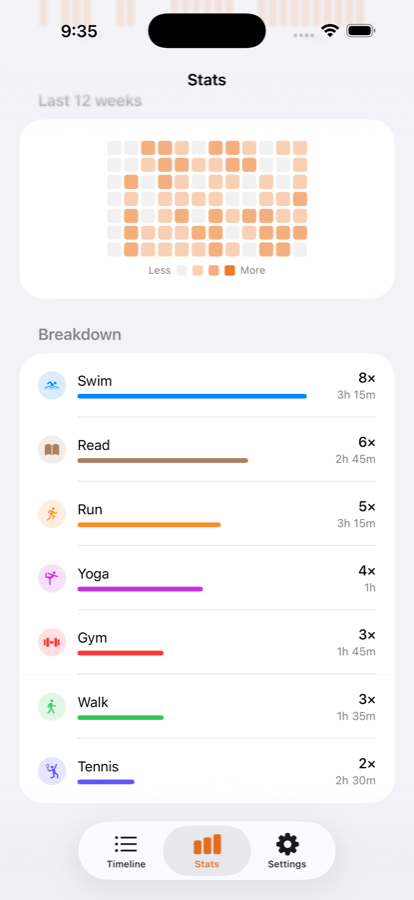
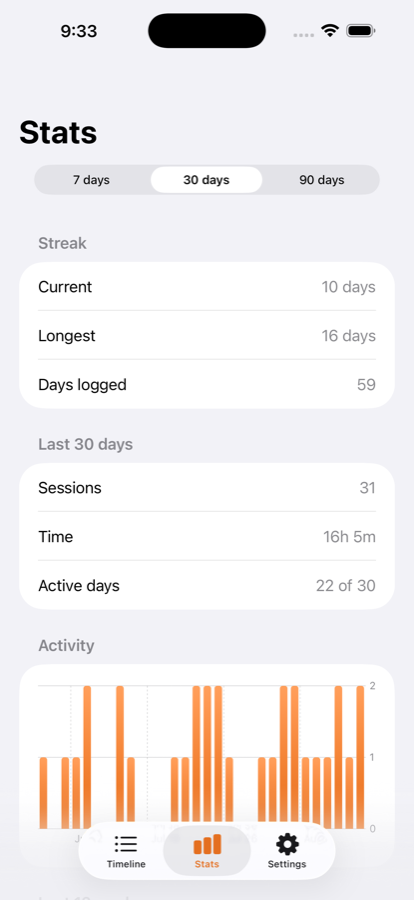
- See the shape of it. A daily bar chart over 7, 30 or 90 days, a twelve-week heatmap, and a breakdown of which activities you really do — ranked, with the time each one took.
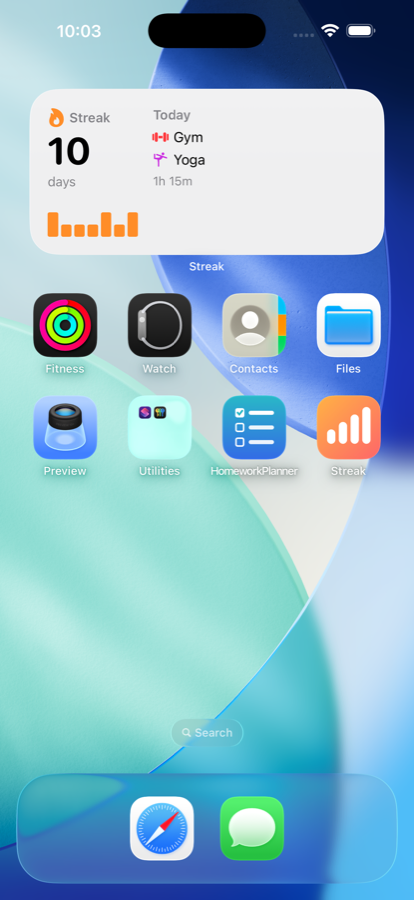
- On your home screen. A widget showing your streak and today's activities without opening the app. Lock Screen widgets too.
- One reminder, not ten. A single daily notification at a time you choose, asking what you got up to. Nothing else will ever alert you.
The widget
The widget reads the same data the app does, so it is never out of step with what you have logged. Tap it to open Streak.
There is no server behind this app and no account of any kind. Everything you log is stored on your iPhone, and the app makes no network requests at all — the developer has no access to your data and no way to read it.
Requires
iOS 18.0 or later, on iPhone.